AI Pose Changer
Upload a photo, describe the new pose, and compare the result with your original.
JPEG, PNG or WEBP up to 10MB. The result keeps the original aspect ratio.
Why use AI Pose Changer
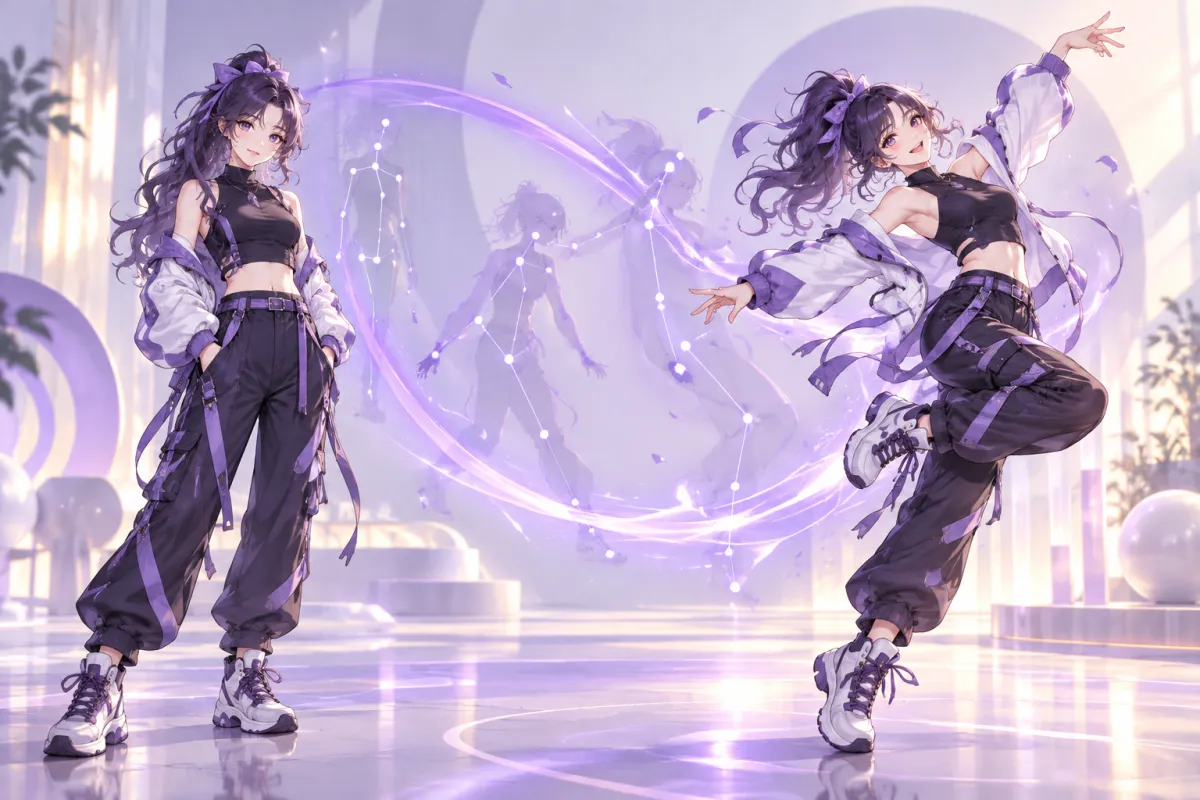
AI pose changer: new pose, same person
The AI pose changer takes one photo of a person and redraws them in the pose you describe. Instead of reshooting or painting over a figure by hand, you write the pose in a sentence, and the result appears beside your original. The prompt asks the model to keep the same person, outfit and background, so you get the same picture with a different body position.
Describe the pose in plain words
There is no skeleton to drag and no reference pose to find. Type something like "sitting with legs crossed" or "hands on hips, looking over the shoulder" and run it. Five presets cover the most common changes: standing, sitting, walking, hands on hips and waving. Select one to fill the prompt, then edit it to match your photo.
Compare before and after with a slider
Every run is shown against your upload. Drag the slider across the picture to check the new body position, the hands, the clothing and the background in one place. If the pose is not what you wanted, change the wording and run it again instead of guessing from a thumbnail.
Works for photos, portraits and character art
The AI pose changer is useful for portraits that need a better stance, product and fashion shots that need another angle of the body, avatars and profile pictures, and original characters or anime art that you want to see in a new pose. Upload a JPEG, PNG or WEBP up to 10MB and the output keeps the original aspect ratio.
Flat 7-credit price on GPT Image 2.5
Each run costs 7 credits and uses GPT Image 2.5 at 1K resolution. The price is the same for every image and the button shows it before you start. The tool is not locked behind a paid plan, so the free credits you receive at sign-up work with it, and a failed run is refunded automatically.
Pair it with the rest of the studio
Create a character with an image model, change the pose here, then use the AI Image Editor to adjust the outfit or the background. Cut the figure out with the AI Background Remover when you need a transparent PNG. All tools share one credit balance, so you do not need a separate account for each step.
Tips for a cleaner pose change
Use a photo where the whole body you want to move is visible, and name the limbs you care about: "right hand raised", "left leg forward". Keep the request to one pose at a time. Complex poses that cross the arms over the body or hide the hands are harder, so start simple and add detail in the next run.
How to use AI Pose Changer
- 1
Upload a photo
Add one JPEG, PNG or WEBP image up to 10MB. Drag a file onto the upload area or click to choose one.
- 2
Describe the new pose
Pick a preset or write your own sentence. Say who or what should stay the same, such as the face, outfit and background.
- 3
Run and compare
Click Change Pose. The AI pose changer finishes in about a minute for 7 credits, then you drag the slider to compare and open the result.